
Mint Certificate
Path: v1/hts/api/integration/mint-certificate
How to use:
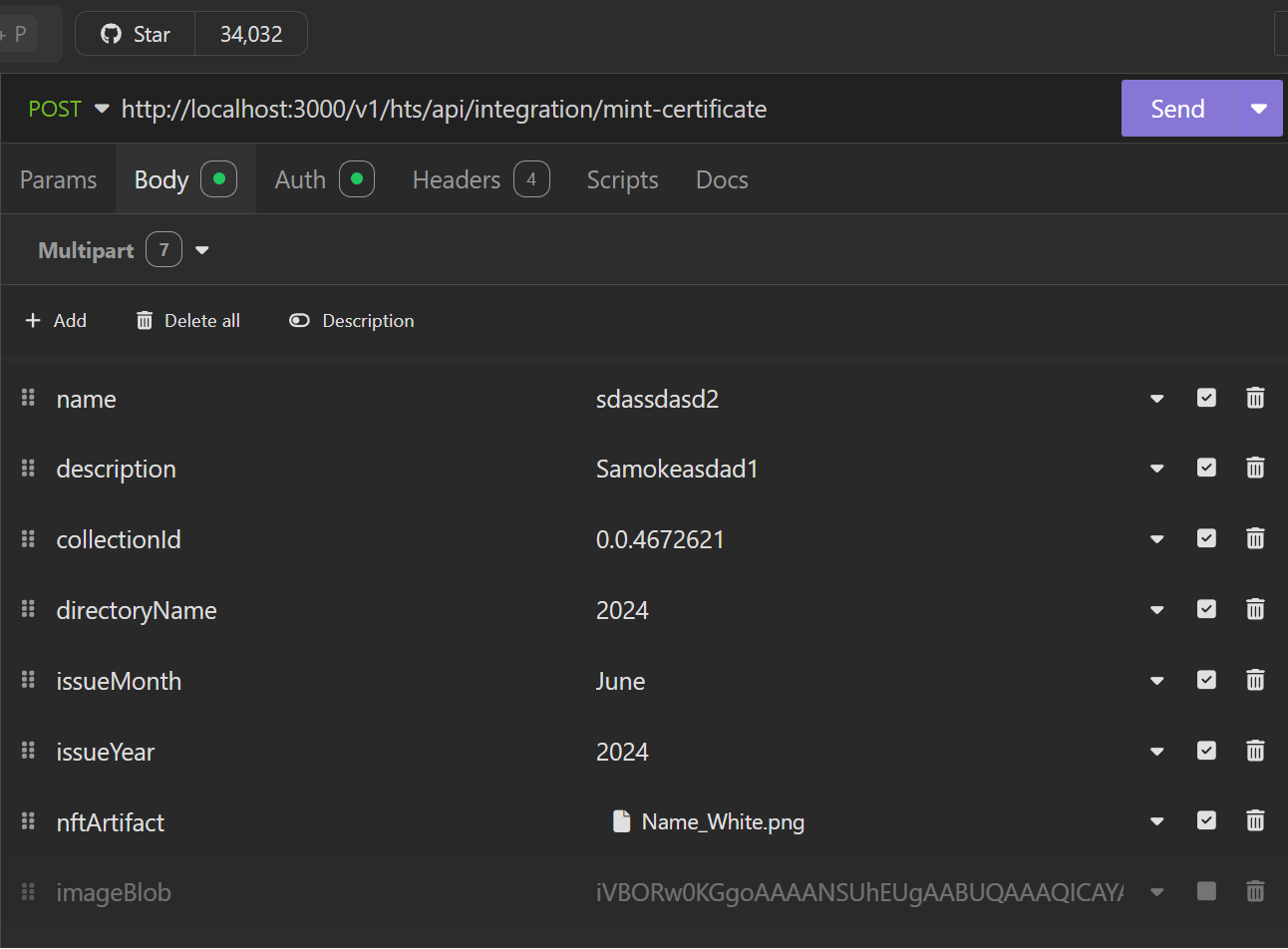
To mint a certificate using this endpoint, provide all the required fields including the name, description, collectionId, directoryName, and nftArtifact (image). You must also specify the issueMonth and issueYear, with optional expiryMonth and expiryYear for setting expiration. The data ensures the certificate is uniquely identifiable and timestamped properly.
Parameter List
For creating a certificate, all the fields provided in this table have to be provided.
| Field | Type | Required | Usage |
|---|---|---|---|
| name | String | Required | The name field represents the human-readable name of the certificate. It’s a descriptive label that helps users identify the certificate. For example, if you’re creating a certificate for B.Tech, the name could be something like “Provisional Degree Certificate”. |
| description | String | Required | The description field provides additional information about the “Certificate”. It’s a longer text that explains the certificate's purpose, characteristics, or any other relevant details. The description might include details about the college, its head of department, or its academic significance. |
| collectionId | String | Required | “collectionId” is used to identify the collection where the specific directory exists. |
| directoryName | String | Required | This is the name of the directory within the collection the certificate has to be created. |
| nftArtifact | Image (full path of the image file) | Required | It is a metadata (image) and it should contain the reference to the digital representation associated with the certificate. |
| issueMonth | String | Required | These fields allow you to timestamp when the certificate was issued. They provide additional context and can be useful for tracking historical data related to collection creation. It needs not be the same as the minting time. Month should be in full, like January, March. |
| issueYear | Year | Required | |
| expiryMonth | String | Optional | This field allow you to timestamp when the certificate will expire. It has to be greater than issue date details. Month should be in full like January March. |
| expiryYear | Year | Optional | This field allow you to timestamp the year when the certificate will expire. It has to be greater than issue date details. |
cURL command
curl --request POST \
  --url http://<dgverse-api-base-url>/v1/hts/api/integration/mint-certificate \
  --header 'Authorization: Bearer <YOUR_TOKEN>' \
  --header 'Content-Type: multipart/form-data' \
  --form 'name=<VALUE>' \
  --form 'description=<VALUE>' \
  --form 'collectionId=<VALUE>' \
  --form 'directoryName=<VALUE>' \
  --form 'issueMonth=<VALUE>' \
  --form 'issueYear=<VALUE>' \
  --form 'nftArtifact=@/mnt/c/Users/Username/Pictures/Pic.jpg'
Response
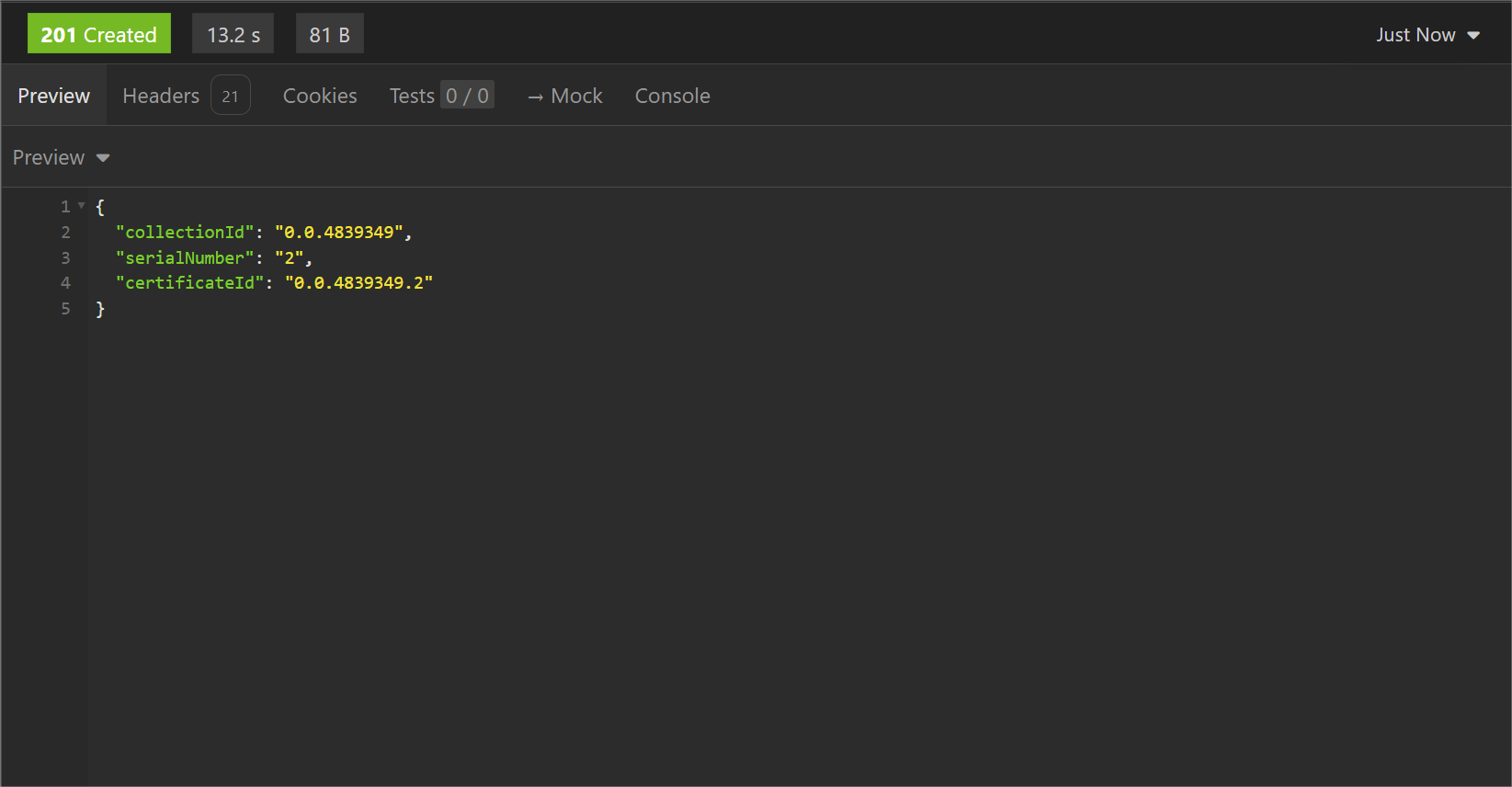
When the certificate is successfully created the collectionId, certificateId and the serial number of the certificate is send with the “201 Created” response status.
Error Troubleshooting
- 400 Bad Request: The provided directory is not present in the collection specified.
- 400 Bad Request: The provided collection doesn’t exist.