
Create Collection
Path: v1/hts/api/integration/create-collection
How to use:
Below table represents the parameters, data type of the parameter, and whether the parameter is required or not for creating a collection using ‘Create Collection’. All the fields that are required must be provided to create a collection. Otherwise, it will lead to errors.
Parameter List
| Field | Type | Required | Usage |
|---|---|---|---|
name | String | Required | Set the publicly visible name of the collection. The collection name is specified as a string. The collection name is not unique. |
certificateType | String (Transferable Certificates, Non-transferable Certificates) | Required | The type of certificate collection to create. |
description | String | Optional (can be empty) | The description field allows you to provide additional information about the collection. |
displayPic | Image (full path of the image file) (recommended aspect ratio is 1:1) | Optional | Image is uploaded just for reference purpose in application UI. |
enableFreezeUserFeature | Boolean | Optional | If enabled, the owner of the account can freeze any user from making any transaction from the collection. |
defaultFreezeStatus | Boolean | Optional | Works in conjunction with enableFreezeUserFeature. If true, all users are considered frozen. |
enableInvalidateCertFeature | Boolean | Optional | If enabled, the collection owner can invalidate certificates. If empty, invalidating is not possible. |
enablePauseFeature | Boolean | Optional | The key which has the authority to pause or unpause all transactions on a collection. |
immutable | Boolean | Optional | The immutable feature allows you to create a collection that cannot be updated or modified after its initial creation. |
allowShareToLinkedin | Boolean | Optional | This is to allow sharing the certificate on LinkedIn. |
socialMedia | String of the form [{"media": "<value>", "url": "<value>"}] | Optional | Metadata fields for links or references to associated social media profiles. API expects it as an array of objects containing keys media and url. |
additionalDetails | String of the form [{"attribute": "prop1", "value":"value1"}, {"attribute": "prop2", "value": "value 2"}] | Optional | Include any other relevant information specific to your collection. API expects it as an array of objects containing keys attribute and value. |
The below table specifies the JSON string input format of “socialMedia” and “additionalDetails” fields in the above table.
| Field | Data Type | Description | Example Value |
|---|---|---|---|
| media | string | Type of social media platform | "instagram" |
| url | string | URL of the social media profile | "instagram.com/JohnDoe" |
| attribute | string | Name of the property or attribute | "prop1" |
| value | string | Value associated with the property | "value1" |
cURL Command
curl --request POST \
  --url http://<dgverse-api-base-url>/v1/hts/api/integration/create-collection \
  --header 'Authorization: Bearer <YOUR TOKEN>' \
  --header 'Content-Type: multipart/form-data' \
  --form 'name=<Certificate Name>' \
  --form royaltyStatus=false \
  --form defaultFreezeStatus=false \
  --form description=description \
  --form enableFreezeUserFeature=true \
  --form enableInvalidateCertFeature=true \
  --form enablePauseFeature=true \
  --form immutable=false \
  --form 'certificateType=Transferable Certificates' \
  --form allowAddToLinkedin=false \
  --form walletAddress=0.0.4485627 \
  --form 'displayPic=@/mnt/c/Users/Username/Pictures/Pic.jpg'
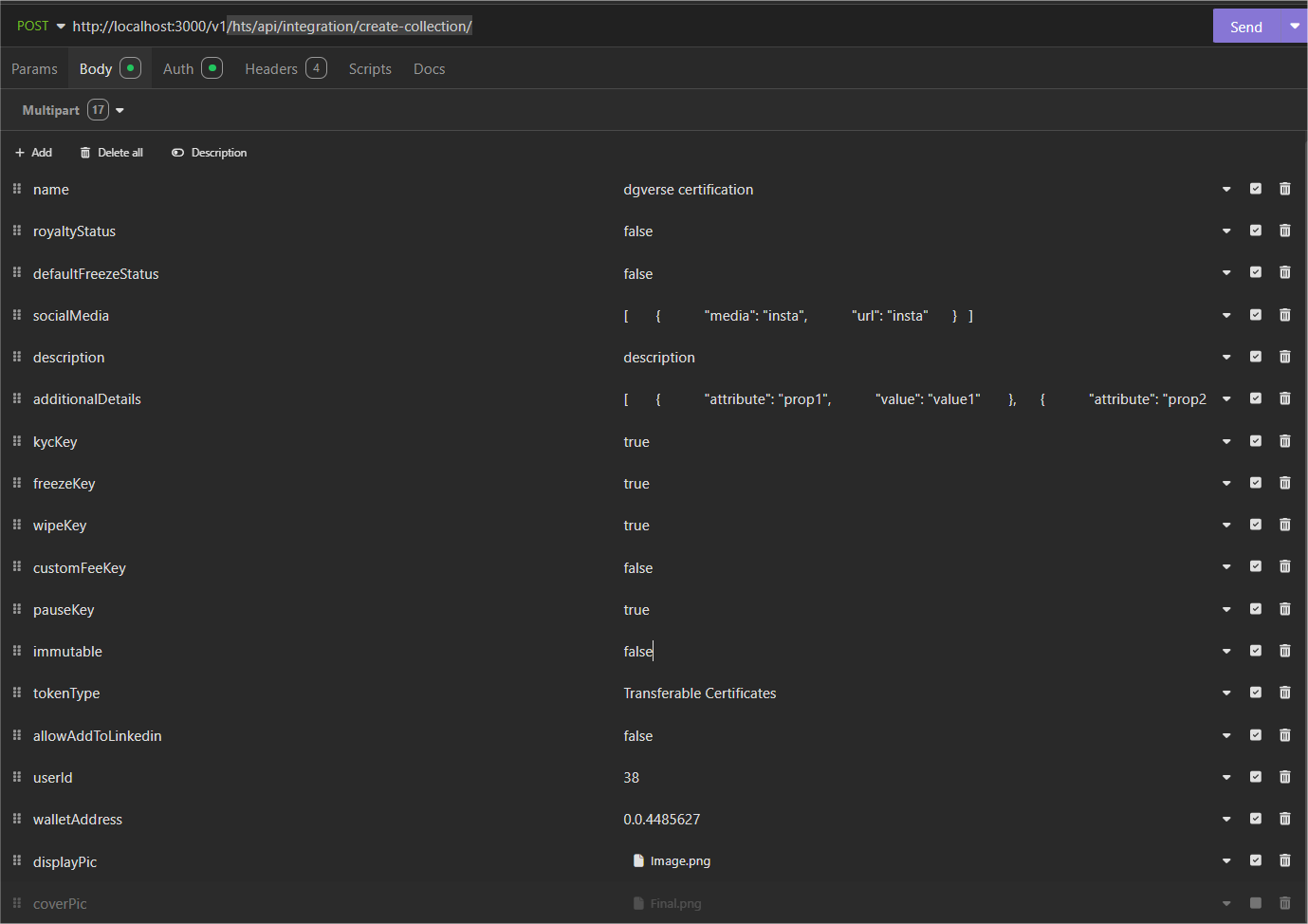
Screenshot
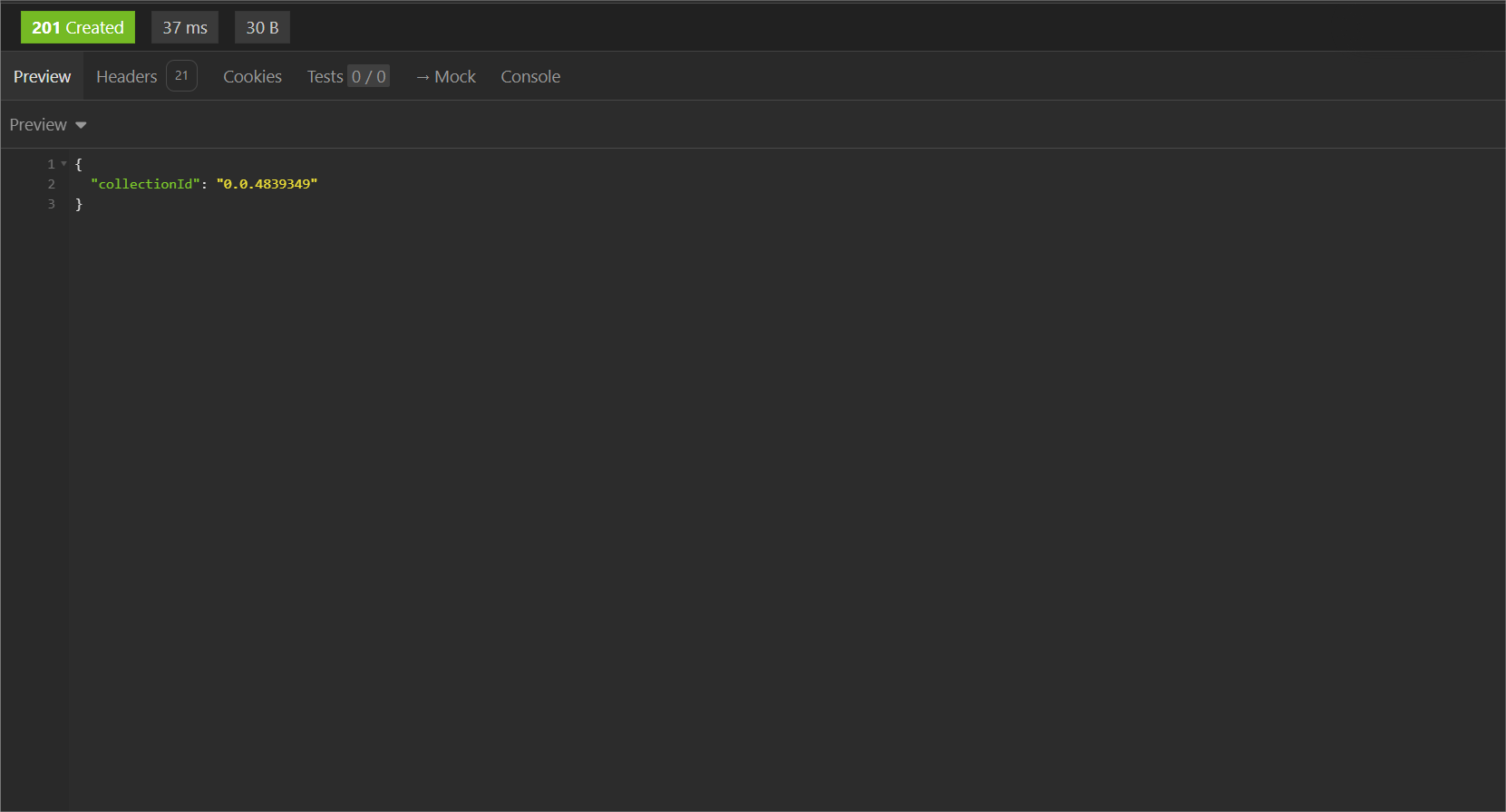
Response:
When creating a collection is successful. The “collectionId” will be generated for the created collection.
Error troubleshooting:
ENOENT(Error NO ENTity): The display picture or the directory provided does not exist.
500 Internal Server Error: ‘User ID’ not correct.
500 Internal Server Error: ‘Wallet Address’ not correct.
400 Bad Request: ‘Name’ is not allowed to be empty.
400 Bad Request: ‘Certificate Type’ must be one of these values: “Transferable Certificates”, “Non-transferable Certificates”.