DgVerseDgVerse
Home
Get Started
  • Auth Endpoint
  • Create Collection
  • Create Certificate
  • Create Directory
  • Transfer Certificate Via Wallet
  • Transfer Certificate Via Mail
  • Cancel Claim
  • Freeze User
  • Un-freeze User
  • Pause Collection
  • Un-Pause Collection
  • Delete Collection
  • Invalidate Certificates
  • Delete Certificates
  • Get Collection
  • Get Certificates
  • Get Directory of a Collection
Home
Get Started
  • Auth Endpoint
  • Create Collection
  • Create Certificate
  • Create Directory
  • Transfer Certificate Via Wallet
  • Transfer Certificate Via Mail
  • Cancel Claim
  • Freeze User
  • Un-freeze User
  • Pause Collection
  • Un-Pause Collection
  • Delete Collection
  • Invalidate Certificates
  • Delete Certificates
  • Get Collection
  • Get Certificates
  • Get Directory of a Collection
  • Auth endpoint

Auth endpoint

Path: /v1/auth/token

How to use:

In case of agents like Insomnia or Postman, use Basic Auth and provide the username and password. In the cURL command below, use a base64 encoded string of the form user_email:password. Make sure to include the colon (:) between the user email and password.

cURL command:

curl --request POST \
  --url http://<dgverse-api-base-url>/v1/auth/token \
  --header 'Authorization: Basic <base64Encode(email:password)>'

Screenshot
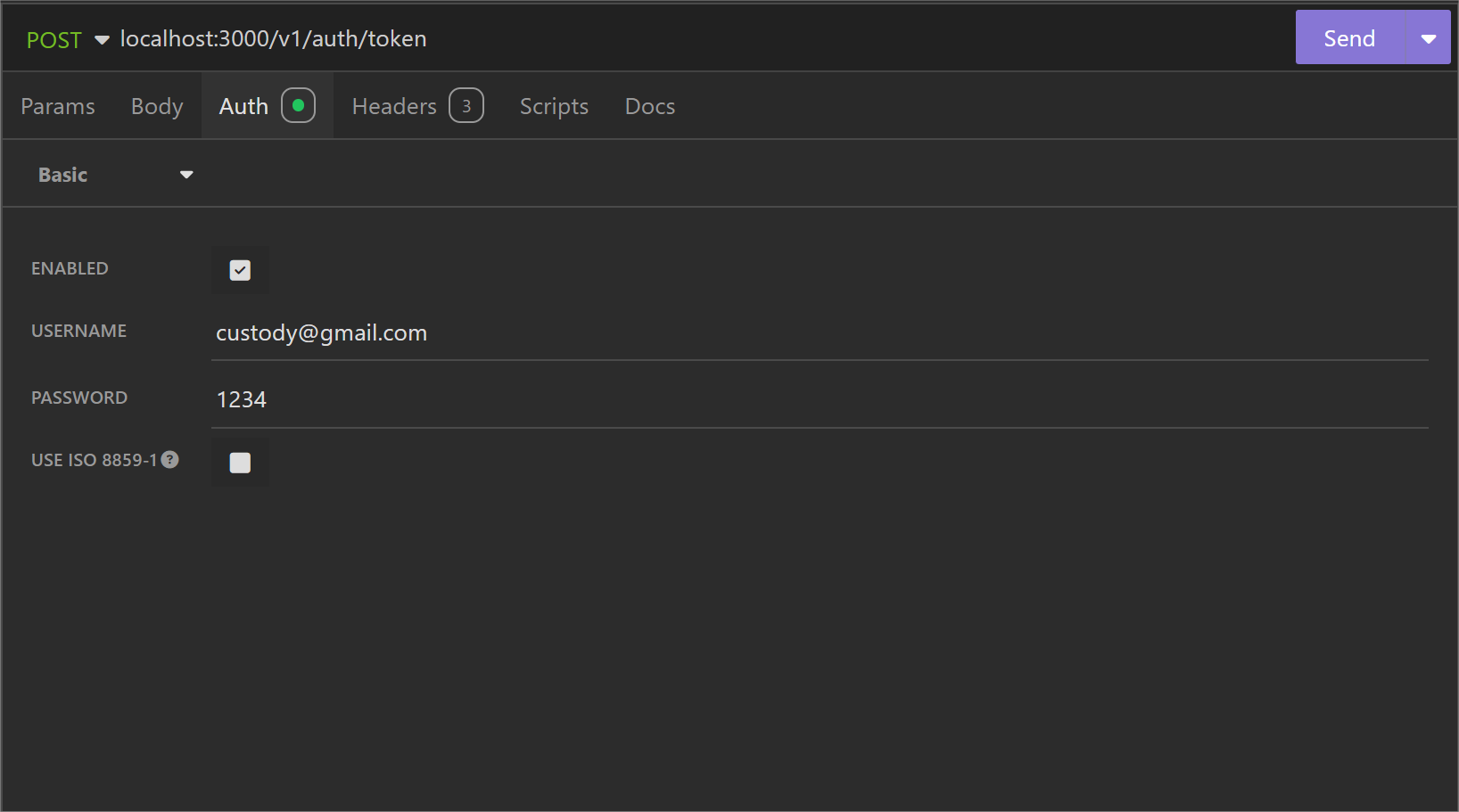
screenshot

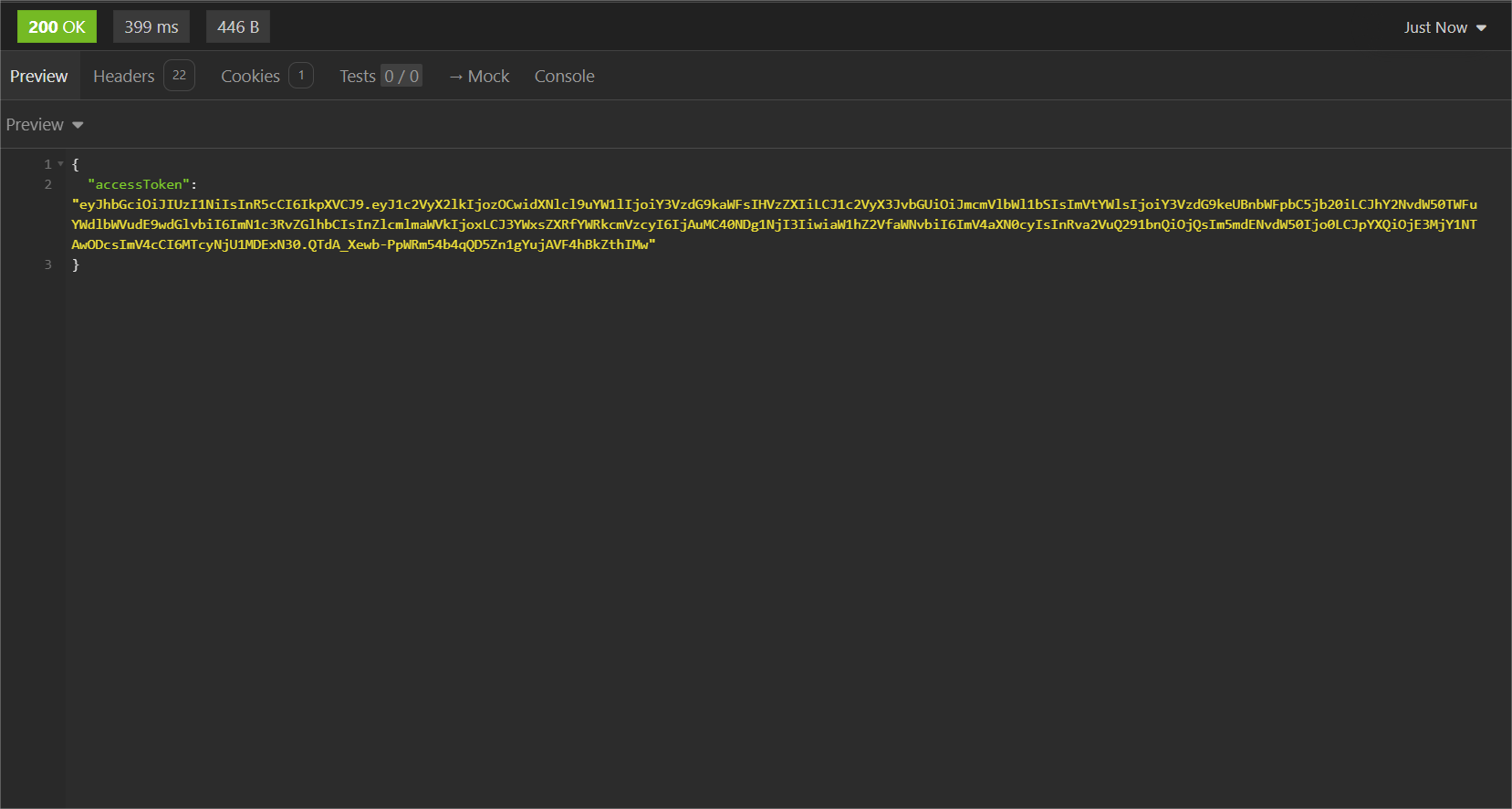
Response:

Access Token you need to add as bearer token with every request. If it expires run this request again. screenshot
Error troubleshooting:

  • Status 401: Invalid Authentication Credentials, password given is wrong.

  • Status 404: User not found.

Last Updated:
Contributors: John, Harish Haridas
Next
Create Collection